Vehicle Simulator
Build and test DIMO integrations without a physical vehicle.
What is the Vehicle Simulator?
The DIMO Vehicle Simulator lets you spin up a fully connected virtual vehicle from the Developer Console. It generates realistic driving signals and exercises every part of the DIMO stack — identity, permissions, telemetry, webhooks, and agents — without requiring hardware.
The simulator isn't a mock. Each simulated vehicle is a real Vehicle NFT with an on-chain identity. It goes through the same permission grant flow and emits signals through the same telemetry pipeline as physical vehicles. Your application code is identical whether it's talking to a Tesla or a virtual Civic.
How It Works
Create a Simulated Vehicle
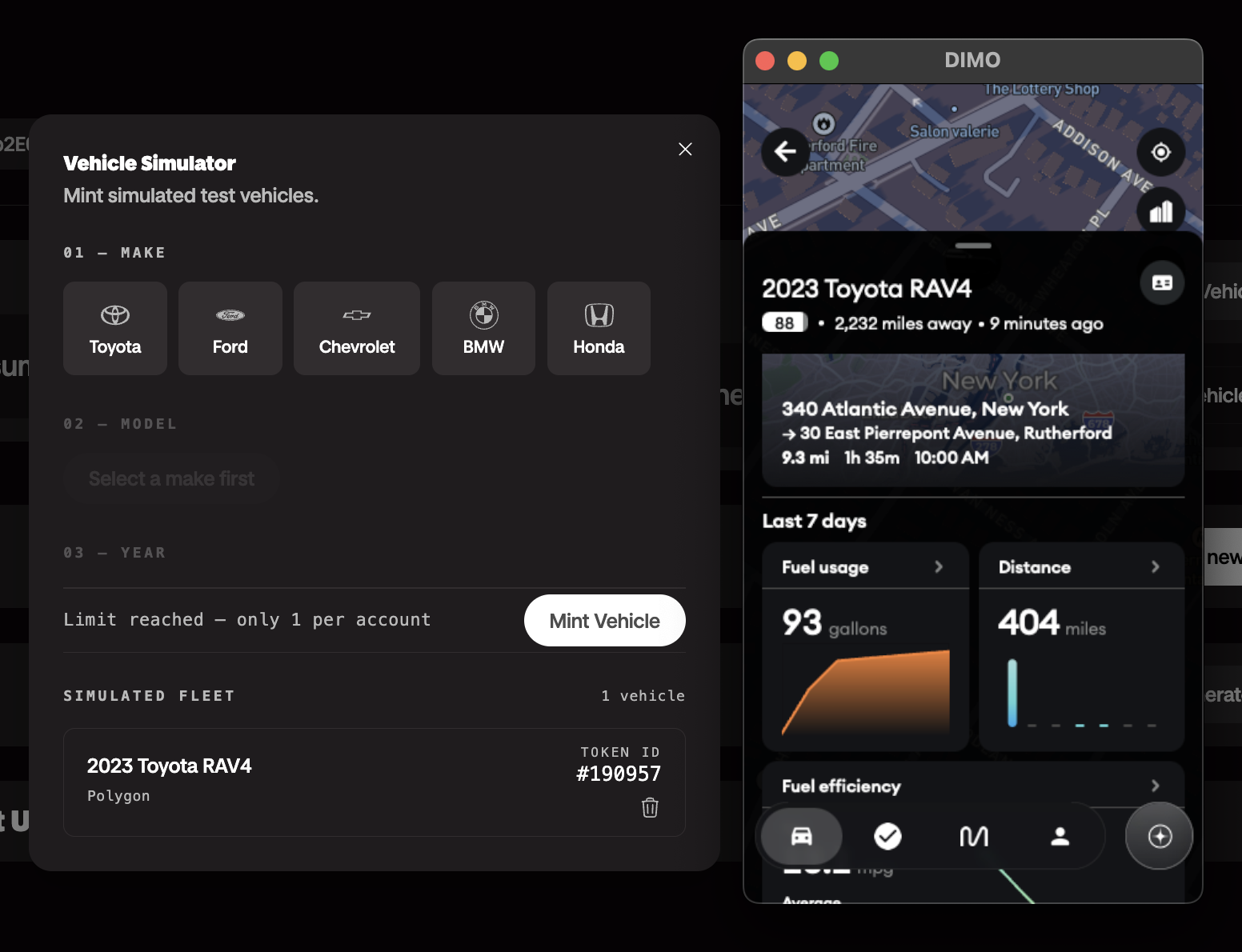
Log in to the Developer Console and navigate to Vehicles → Add Vehicle → Simulator. Pick a make/model/year, and confirm the mint.
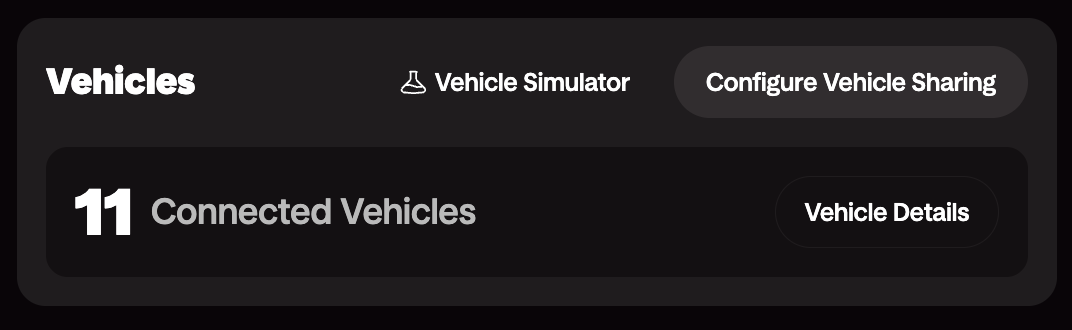
The console mints a Vehicle NFT to your developer wallet on the DIMO Network. You now have a vehicle with a real on-chain identity and token ID.
Grant Data Access
The console walks you through a permission grant using Login with DIMO Configurator. You, the developer, decides which signals to request permissions to and for how long.
This is the same flow your end users will go through when connecting a vehicle via Login with DIMO, so you experience the permission model firsthand before they do.
Start Fetching Data
The vehicle comes online and begins emitting signals within seconds after your mint.
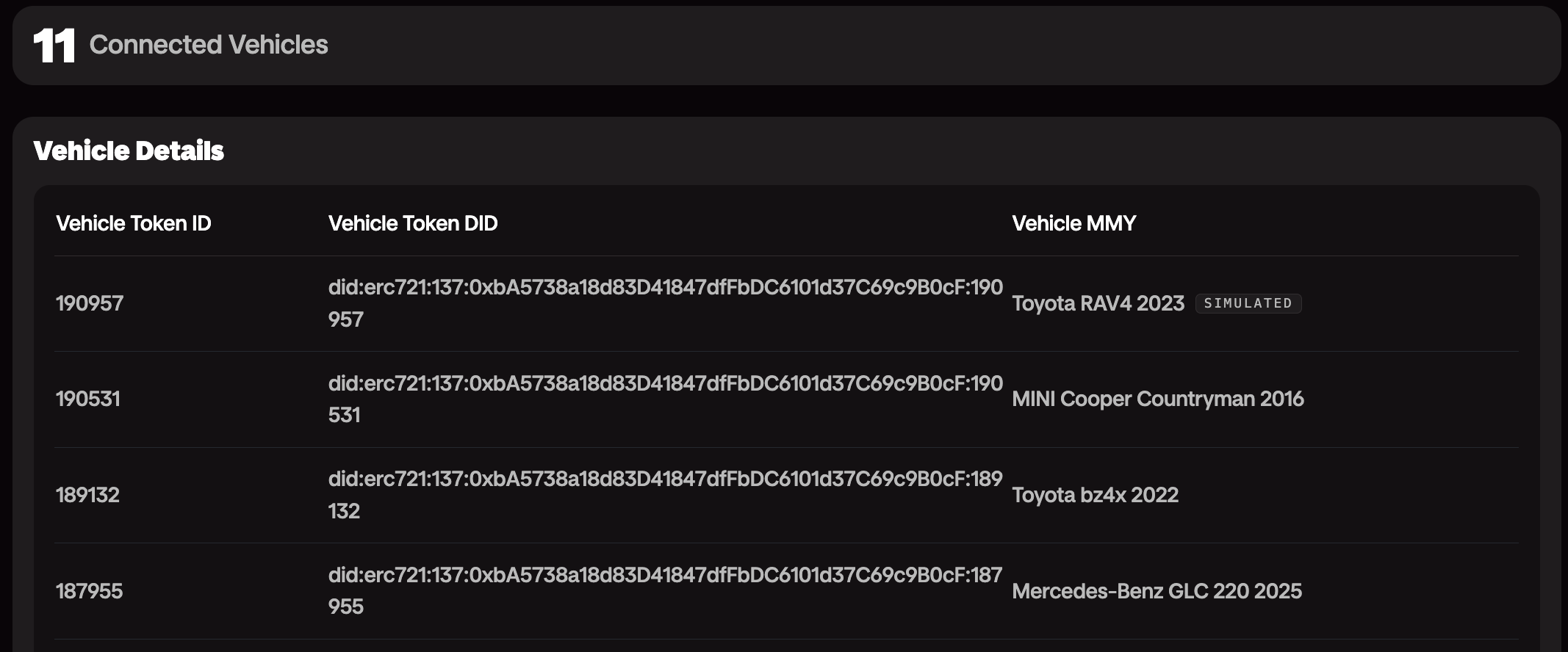
You can view the data directly from the console, query live data via the Telemetry API, or even use the DIMO Mobile App — and see the updates in real time.
Emitted Signals
The simulator emits 13 signals per tick using real DIMO/VSS signal names:
| Signal | What It Models |
|---|---|
speed | Vehicle speed in mph, noisy, clamped to 0 |
currentLocationCoordinates | GPS latitude/longitude interpolated along the route |
powertrainType | "COMBUSTION" (static) |
powertrainCombustionEngineSpeed | RPM derived from a gear model |
powertrainCombustionEngineECT | Engine coolant temp in °C — models cold start warmup |
powertrainFuelSystemAbsoluteLevel | Fuel in liters (60L tank), drains with speed and RPM |
powertrainTransmissionTravelledDistance | Odometer in km, accumulated from speed each tick |
chassisAxleRow1WheelLeftTirePressure | Tire pressure in kPa (~32 PSI nominal) |
chassisAxleRow1WheelRightTirePressure | Same |
chassisAxleRow2WheelLeftTirePressure | Same |
chassisAxleRow2WheelRightTirePressure | Same |
exteriorAirTemperature | Air temp in °C — follows a daily sine curve |
obdDTCList | OBD-II fault codes — injected randomly, self-clear after 5–20 min |
Daily Schedule
The simulator runs a daily schedule across four routes based on real NYC/NJ roads:
| Time (UTC) | Scenario | Route |
|---|---|---|
| 00:00–06:00 | Parked overnight | — |
| 06:05–06:45 | Morning commute | Manhattan Midtown Loop (4.4 km) |
| 06:45–07:30 | Highway segment | I-95 NJ Segment (32 km) |
| 07:30–12:00 | Parked at work | — |
| 12:05–12:30 | Lunch errands | Brooklyn Errands Loop (5.2 km) |
| 17:05–17:50 | Evening commute | I-95 NJ Segment |
| 17:50–18:30 | Suburban leg | Suburban Loop — Northern NJ (15 km) |
| 18:30–00:00 | Parked overnight | — |
Read the full architecture writeup for details on how the simulator was built and what's coming next.