Data Explorer
Query and visualize vehicle data directly from the Developer Console.
What is the Data Explorer?
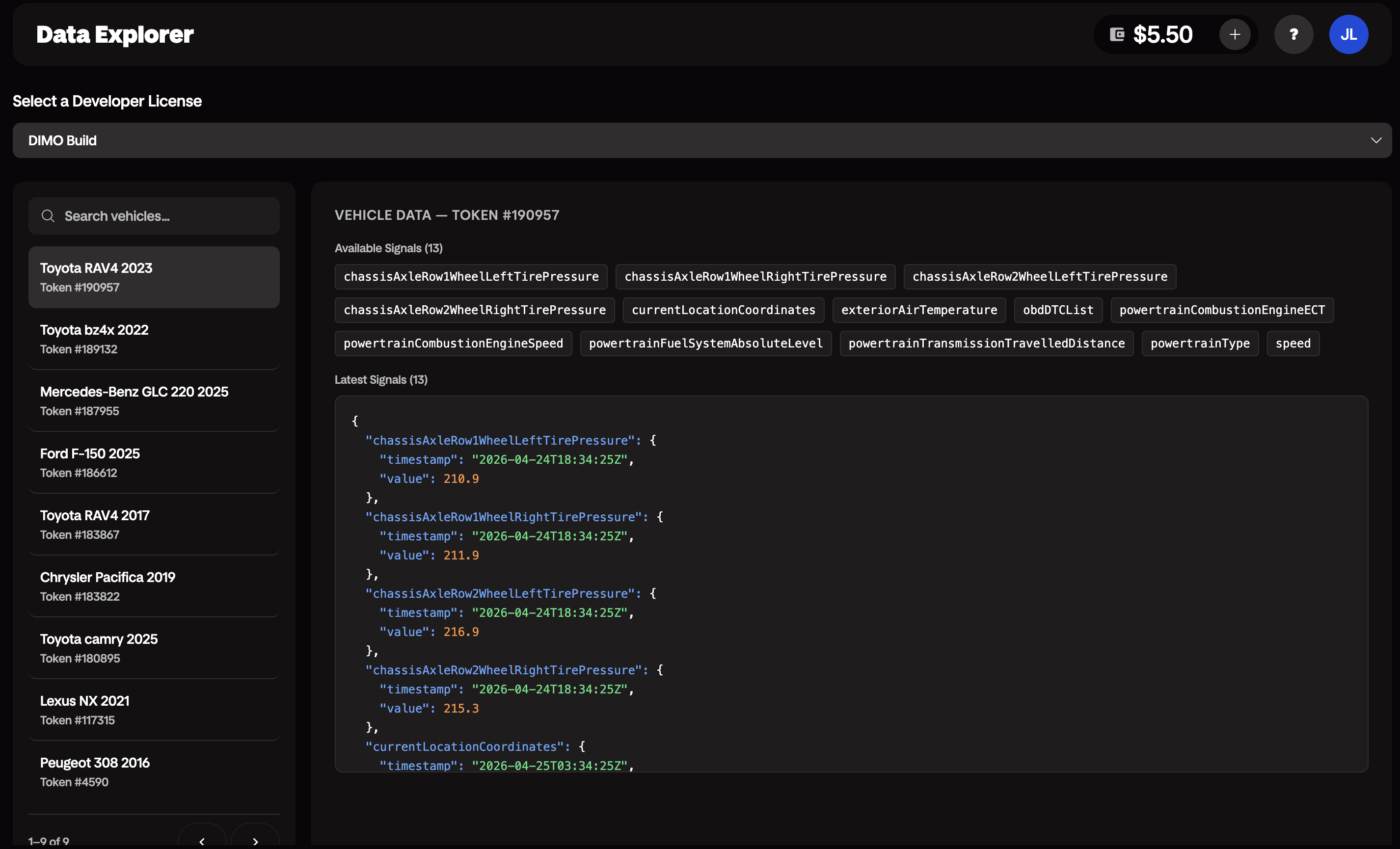
The Data Explorer is a built-in interface in the Developer Console for browsing, querying, and visualizing telemetry data from any vehicle connected to your application — including simulated vehicles.
Use it to inspect live signals, audit historical data, and validate your integration before writing a single line of application code.
What You Can Do
- Available Signals: See all signals granted by a vehicle that you have access to.
- Latest Signals: View the most recent value for each signal.
Getting Started
- Log in to the Developer Console.
- Open the Data Explorer tab.
- Select a vehicle from your vehicles list — or use a simulated vehicle if you don't have a physical vehicle connected yet.