The DIMO Vehicle Simulator: Build Without a Car

🚗 You shouldn't need a car to build a car app
One of the most common complaints we hear from developers starting on DIMO is some version of this:
"I want to build a fleet app, but I only have one vehicle and don't have a DIMO device. I don't want to drive around every time I need to test a webhook."
That's a reasonable problem. Telemetry-driven development is inherently hardware-dependent — or it was, until you have a simulator.
The DIMO Vehicle Simulator lets you spin up a fully connected virtual vehicle from the Developer Console, generate realistic driving signals, and exercise every part of the DIMO stack — identity, permissions, telemetry, webhooks, agents — without touching a physical car.
Here's how we built it, what it can do today, and where we're taking it next.
🏗️ Architecture: keeping it honest
The simulator isn't a mock. That's the key design decision.
A mocked vehicle would short-circuit the stack — you'd test against stubbed data and discover production bugs at the worst possible time. Instead, we built the simulator to behave exactly like a real connected vehicle: it holds a vehicle identity on-chain, it goes through the same SACD permission grant flow, and it emits signals through the same telemetry pipeline everything else uses.
From an API perspective, there's no "simulator mode." Your application code is identical whether it's talking to a Tesla or a virtual Civic.
The three layers:
1. 🔑 Identity layer — Each simulated vehicle is a real Vehicle NFT minted to your developer wallet. It has an on-chain identity, a token ID, and all the same permission semantics as a physical vehicle. You own it, you grant access to it, you revoke it. Same primitives.
2. 📡 Signal emitter — A backend service generates telemetry payloads on a configurable cadence. Signals are modeled against real OBD-II and OEM data shapes — we didn't invent our own schema. This means your application code works against real signal definitions from day one.
3. 🗺️ Routing engine — The simulator traces a pre-recorded GPS route and advances the vehicle along it over time. Speed varies by road type and segment. The walker slows for sharp turns, stops at traffic lights with realistic dwell times, and reverses direction at the end of a route — so it keeps driving indefinitely without needing route management. Location, speed, and all derived signals update every tick.
Everything flows through the same telemetry ingest, signal normalization, and data API stack that physical vehicles use. No special cases. No simulator flags.
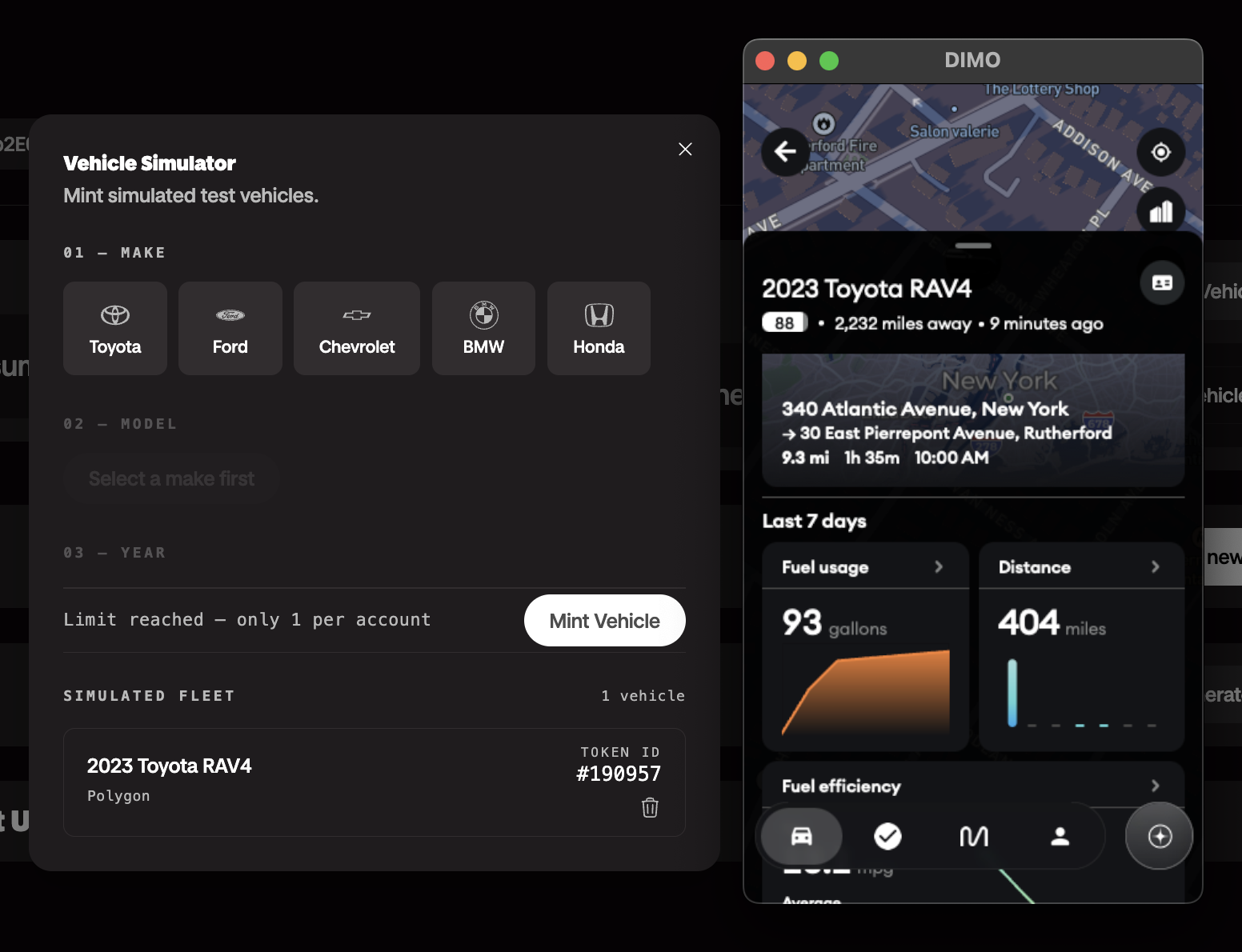
📊 Current signals and capabilities
The simulator emits 13 signals per tick, all using real DIMO/VSS signal names — the same names you'd see from a physical vehicle:
| Signal | What it models |
|---|---|
speed | Vehicle speed in mph, noisy, clamped to 0 |
currentLocationCoordinates | GPS latitude/longitude interpolated along the route |
powertrainType | "COMBUSTION" (static) |
powertrainCombustionEngineSpeed | RPM derived from a gear model — idle at 800, scales with speed and gear |
powertrainCombustionEngineECT | Engine coolant temperature in °C — models cold start warmup (~5 min to operating temp), then thermostat regulation |
powertrainFuelSystemAbsoluteLevel | Fuel in liters (60L tank), drains with speed and RPM, auto-refuels at 10% |
powertrainTransmissionTravelledDistance | Odometer in km, accumulated from speed each tick |
chassisAxleRow1WheelLeftTirePressure | Tire pressure in kPa (~32 PSI nominal), slow independent drift per wheel |
chassisAxleRow1WheelRightTirePressure | Same |
chassisAxleRow2WheelLeftTirePressure | Same |
chassisAxleRow2WheelRightTirePressure | Same |
exteriorAirTemperature | Air temp in °C — follows a sine curve peaking ~14:00 UTC, bottoming ~05:00 |
obdDTCList | OBD-II fault codes (e.g. P0300, P0420) — injected randomly while driving, self-clear after 5–20 minutes |
The simulator runs a daily schedule across four routes based on real NYC/NJ roads:
| Time (UTC) | Scenario | Route |
|---|---|---|
| 00:00–06:00 | Parked overnight | — |
| 06:05–06:45 | Morning commute | Manhattan Midtown Loop (4.4 km) |
| 06:45–07:30 | Highway segment | I-95 NJ Segment (32 km) |
| 07:30–12:00 | Parked at work | — |
| 12:05–12:30 | Lunch errands | Brooklyn Errands Loop (5.2 km) |
| 17:05–17:50 | Evening commute | I-95 NJ Segment |
| 17:50–18:30 | Suburban leg | Suburban Loop — Northern NJ (15 km) |
| 18:30–00:00 | Parked overnight | — |
All signals flow into the Telemetry API in real time. You can query historical signal data via our Telemetry API, subscribe to live updates, or let them trigger webhooks and agentic workflows — same as any physical vehicle on the DIMO network.
🛠️ Creating your first simulated vehicle: a walkthrough
Here's the full experience, start to finish.
Step 1: Log in to the Developer Console
Head to console.dimo.org and sign in. The console uses Login with DIMO — the same authentication flow your end users will experience. You'll authenticate with a passkey or wallet, and you land in your developer dashboard.
If you don't have a developer account yet, you can register one directly from the console. Getting a license takes a few minutes.
Step 2: Create a simulated vehicle
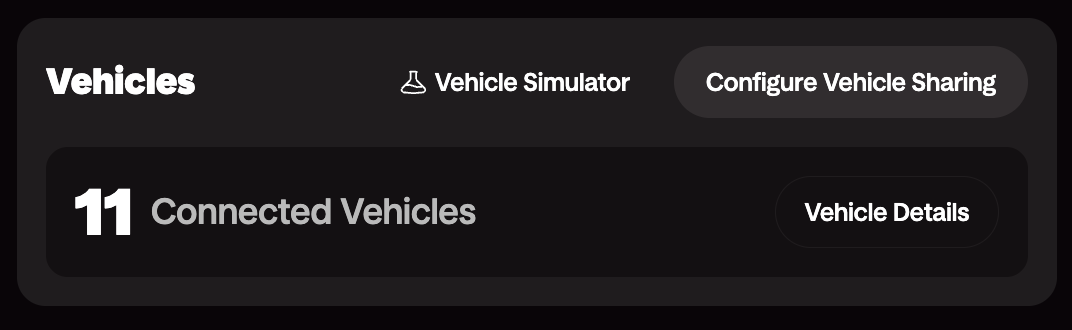
From your dashboard, navigate to Vehicles → Add Vehicle → Simulator. Give it a name, pick a make/model (we have a growing catalog), and confirm. The console mints a Vehicle NFT to your developer wallet on the DIMO Network. You now have a vehicle with a real on-chain identity.
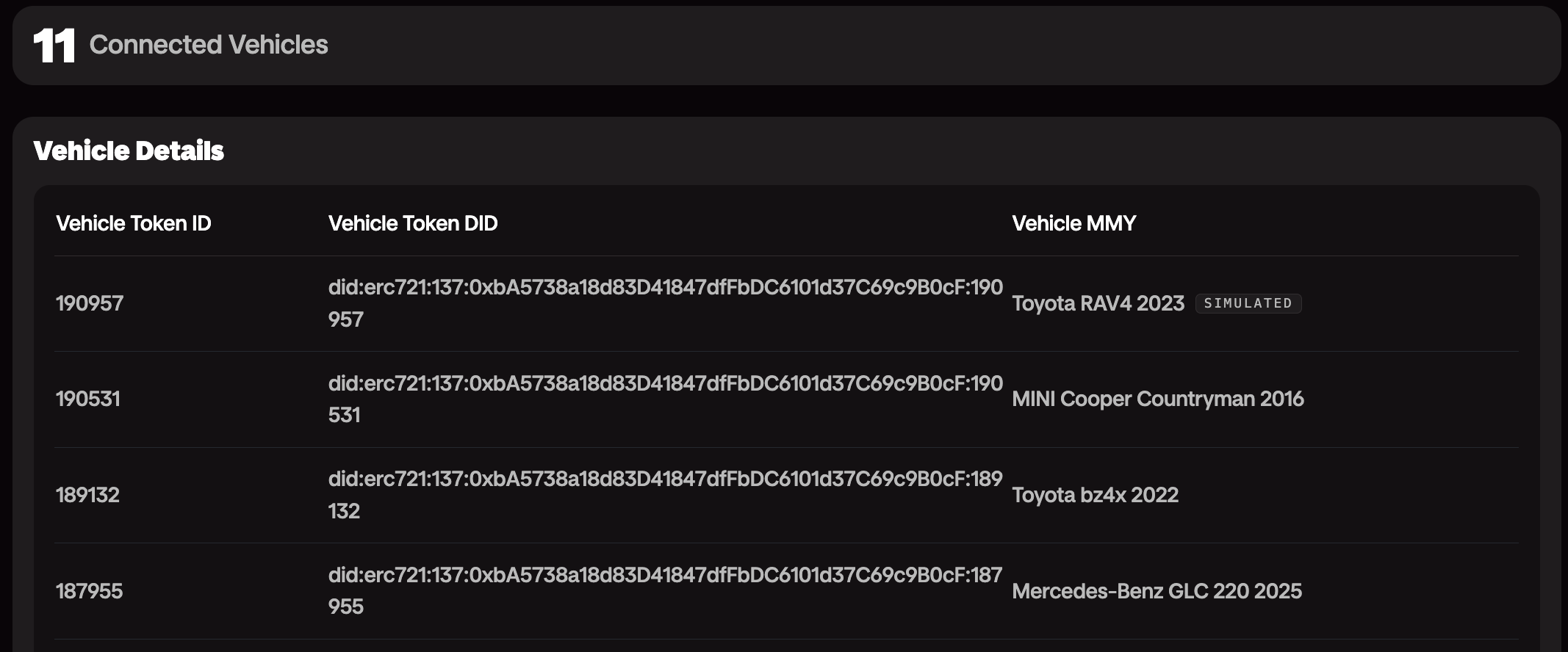
Step 3: Grant data access
This is where you experience exactly what your users will experience. The console walks you through a SACD permission grant — you're selecting what data scopes to allow (location, telemetry, trips, etc.) and signing the grant with your wallet.
This is the same flow a user goes through when they connect a vehicle to your app via Login with DIMO. Building with the simulator means you understand the permission model before your users hit it.
Step 4: Configure and start a drive
The simulator gives you control over the vehicle parameters before you start. Set the initial fuel level, odometer, and which route to run — then hit Start Simulation and the vehicle comes online.
The routing engine begins advancing the vehicle along the selected route. You'll see signals appear in the Telemetry API within seconds. You can also open the GraphQL playground directly from the console and query your vehicle's live data — speed, location, engine coolant temp — as it updates in real time.
Step 5: Build against it
From here, the simulator is just a DIMO vehicle. Use the Server SDK, the Client SDK, or raw API calls — it all works the same. Your application receives telemetry streams and permission grants identically to a physical vehicle.
The mobile app experience works too: if you install the DIMO mobile app and import your developer account, your simulated vehicles appear alongside real ones. You can see the telemetry, view trip history, and verify the end-user experience of any feature you're building — all from a virtual vehicle.
🔭 What's coming next
The current simulator is solid for development and integration testing. Here's where we might be investing next:
🗺️ Better routes — The current four routes cover NYC/NJ road types well but are limited in variety. We want to add more cities, more traffic patterns, and eventually dynamic route generation: give it an origin and destination and the routing engine builds the path from OSRM without needing a hand-crafted JSON file.
🛣️ Longer routes — The longest route today is 32 km (the I-95 segment). We want to support full interstate drives — multi-state, multi-hour sessions — which is what you need to test long-distance trip modeling, EV range estimation, and fleet utilization analytics.
⚡ More signals — The current signal set is ICE-focused. EV-specific signals (state of charge, charging status, target charge level, estimated range) are the top request. Beyond that: HVAC state, door/window state, seatbelt status, and headlight/wiper signals. Anything a well-integrated physical vehicle would expose, the simulator should be able to generate.
🔧 Fault injection — Deliberately emit bad data, drop signals, or simulate sensor edge cases — stale GPS mid-trip, fuel sensor stuck at a fixed value, RPM spiking on engine start. Resilient applications need to be tested against the real tail of production data, not just the happy path.
🚛 Multi-vehicle scenarios — Spin up a fleet of simulated vehicles running concurrently, each on its own route and schedule. Useful for testing aggregated telemetry queries, fleet dashboards, and event fan-out at scale.
Let us know what features you'd like to see in the vehicle simulator.
💡 Why it matters
The goal isn't simulation for its own sake. It's reducing the time between "I have an idea" and "I've shipped something real."
Waiting on hardware, managing access to physical test vehicles, coordinating drives to generate test data — these are all friction points that slow down good developers. The simulator removes them.
More importantly, it lets you test the full DIMO integration: identity, permissions, telemetry, and event flows — not just the data layer. If you're building on DIMO, you want confidence that the permission grant flow your users will see works correctly, that your webhooks fire when they should, and that your app handles the edge cases in telemetry.
The simulator gives you that confidence without a parking lot.
🚀 Get started
- Developer Console — create your simulated vehicle
- Server SDK — query telemetry and manage vehicles from your backend
- Client SDK — add Login with DIMO and vehicle connections to your frontend
- Telemetry API — real-time and historical signal access
- Webhooks — subscribe to vehicle events
The best way to understand DIMO's permission model is to go through it yourself. The simulator is the fastest path to that.